SCAN IT
ON THE
SHELF
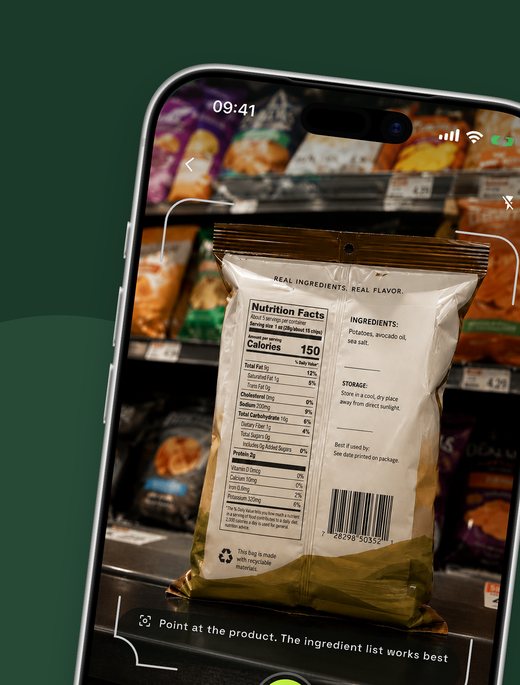
Point your camera at any product on the shelf. Unpackly reads the ingredients and scores it from 0 to 100 for your allergies, diet and goals.


Launching soon on both stores
/ WHAT YOU GET
Instant ingredient analysis from a single photo
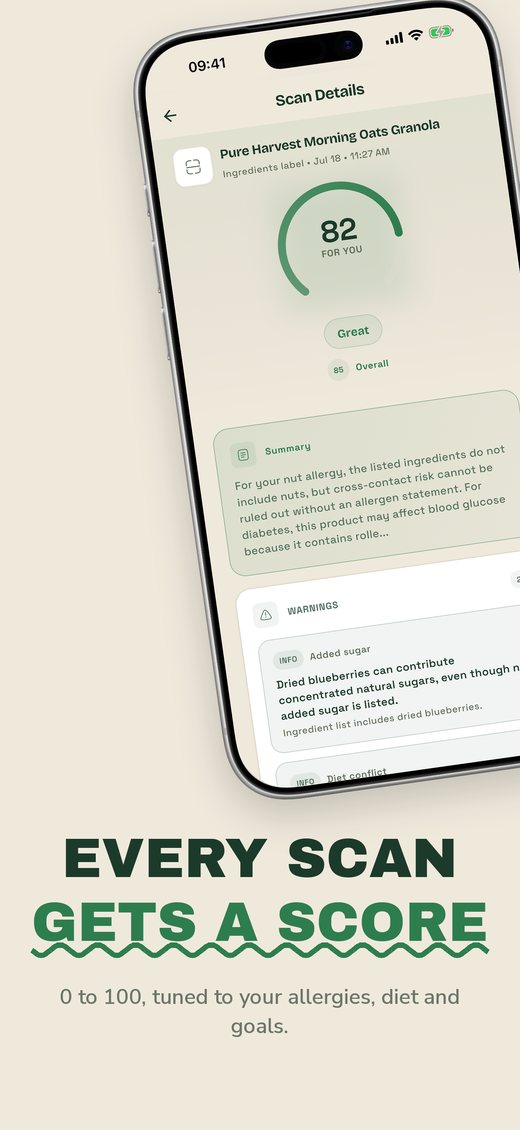
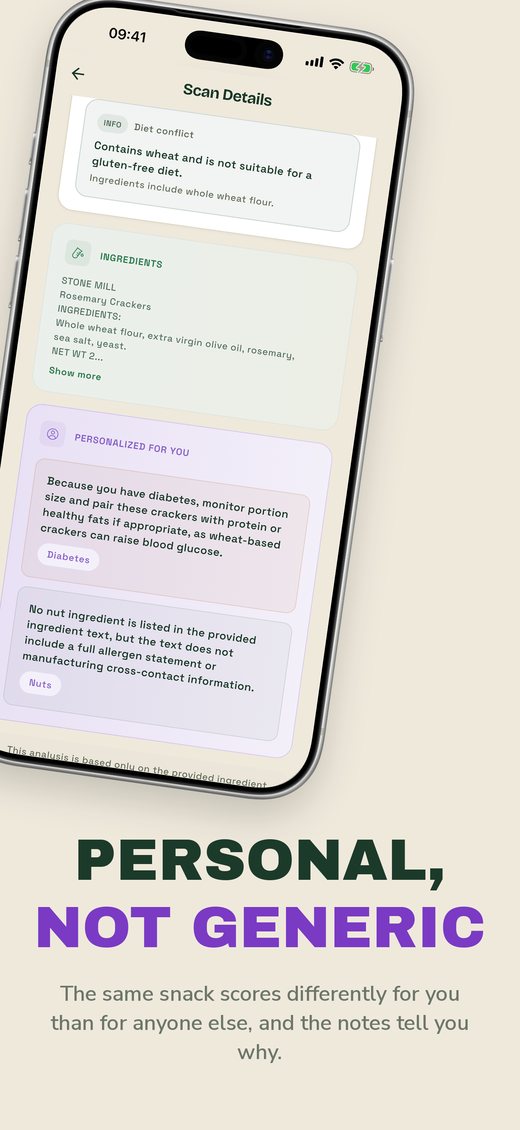
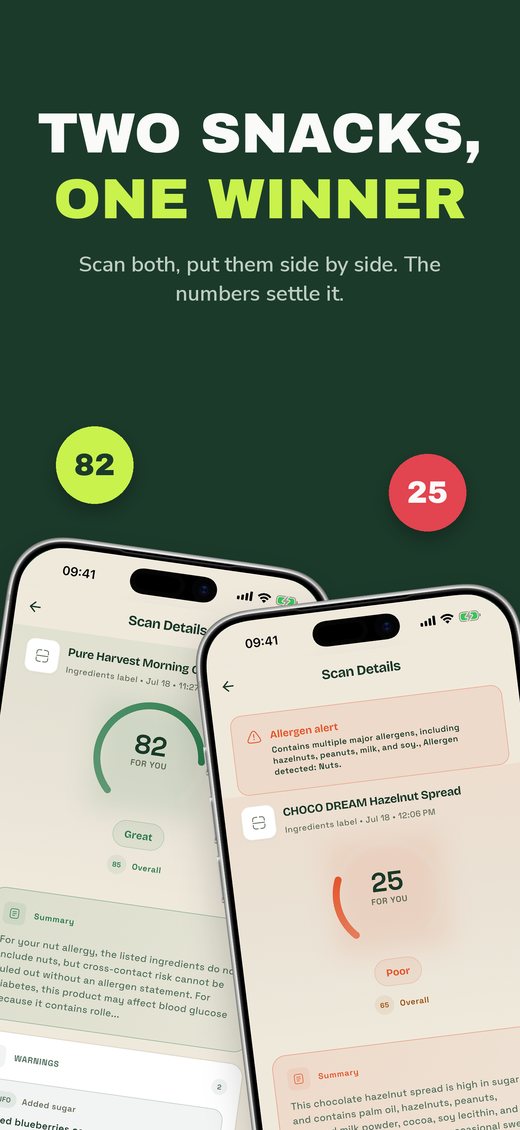
A personal score next to the general one. The same product can be great for one person and a bad idea for another
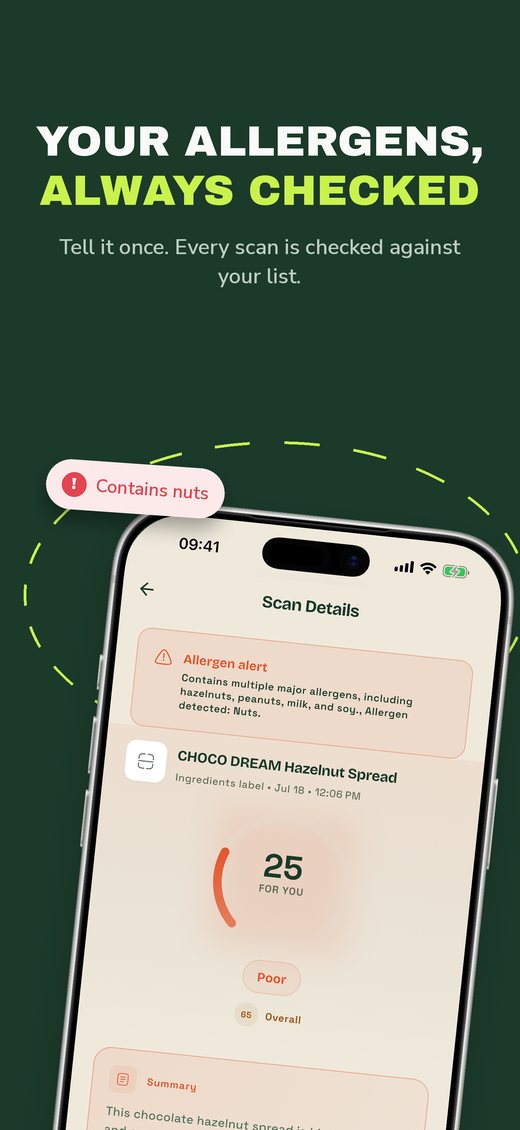
Allergen checks on every scan: tell Unpackly once what you avoid and every result is checked against your list (always read the label as well)
Plain-language notes that explain the reasoning, written around your profile rather than a generic rating
Compare two products and pick the better one
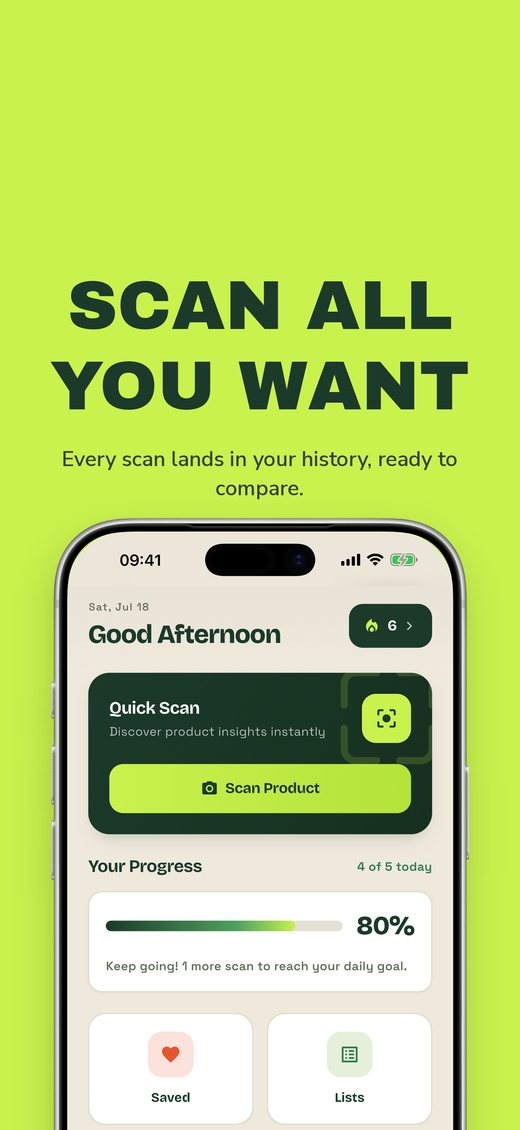
History and shopping lists, so good finds don't get lost
16 languages, free
/ HOW IT WORKS
Take a photo
Point the camera at the ingredient list. A photo of the front of the pack works too.
We read it for you
Unpackly recognizes the label text and analyzes every ingredient.
Get your score
A clear score from 0 to 100, with plain-language notes tuned to your allergies, diet and goals.
/ A look inside
A NOTE ON TRUST
Unpackly is an information tool, not medical advice. It is not a medical device and does not diagnose, treat, cure or prevent any condition. Analyses are based on the ingredient text we can read or find; always check the full label and allergen statement on the package, and talk to a healthcare professional about medical decisions.
/ Frequently asked questions
Is Unpackly free?
Yes. Unpackly is free to use, with no subscription.
Does it scan barcodes?
No barcode needed. Unpackly reads the ingredient list from your photo. If you snap the front of the package instead, it identifies the product and finds the ingredients for you.
How accurate are the analyses?
Text recognition and AI analysis can be wrong or incomplete. If you have an allergy, intolerance or a medical condition, always read the physical label as well. Unpackly is an information tool, not medical advice.
What happens to my health profile?
Allergies, conditions and diet preferences are used for one thing only: personalizing your analyses. They are never used for advertising and never sold. The details are in our Privacy Policy.
Which languages does it support?
Unpackly works in 16 languages, and the analyses are written in yours.
How do I delete my account?
In the app, go to Profile, then Account, then Delete Account. Deletion is immediate and irreversible. You can also request deletion by email if you no longer have the app.
Try it on your next grocery run
Free to use. No subscription.
Launching soon on both stores